
AI has moved on. Our working habits haven’t quite caught up.
You’ve tried the chatbot. Here’s how to put it to work on the comparisons, investigations and decisions that keep getting pushed to next week.
The supplier quotes are still waiting.
So is the customer sales report. And somewhere in your inbox there’s another email about the delivery problem nobody has quite got to the bottom of.
Perhaps you’ve used AI to tidy up an email this morning. There’s nothing wrong with that. But the work holding things up—the reading, comparing and figuring out what to do next—may still be sitting there, untouched.
That’s the work worth looking at.
ChatGPT, for example, can compare documents you upload and help analyse spreadsheet data, rather than simply offer general advice about them. The features available depend on the tool, account and settings, but there’s considerably more to explore than another way of drafting a paragraph.
If your last proper attempt at using AI was in 2024, give it another go with something you actually need to finish. Bring the quotes. Bring the report. Give it the relevant background, then see whether it helps you make sense of the problem.
You don’t need another demonstration of what AI might do for a business. You need to find out whether it can do useful work in yours.
There’s more to it than asking a question
Think about the difference between these four ways of using AI:
Ask → Produce → Analyse → Collaborate
Ask is familiar territory. Explain something, answer a question, suggest a few ideas. Produce takes that a step further: draft an email, summarise a meeting or prepare a document.
Useful work, certainly. But stop there and you miss something important.
With analyse, you supply the material behind a problem and ask for help working through it. Which offers are genuinely comparable? What doesn’t add up? Where do we need more information?
Collaborate means staying with the conversation. You question the first answer, add a constraint, correct a misunderstanding or explore an alternative. Rather than accepting a finished response, you work towards a position you’re comfortable taking.
1
Ask
Explain the options
2
Produce
Draft the document
3
Analyse
Compare the evidence
4
Collaborate
Walk through the decision
This isn’t a prescribed routine for every task. Sometimes you just need to make an awkward email less awkward.
But when a decision needs thought, don’t leave AI out of the discussion and bring it in only to write up the result.
Give it something real to work with
01
Don’t ask AI about your work. Give it your work.
Take those three supplier quotes.
Ask how to choose a supplier and you’ll probably get advice about price, quality, reliability and service. Sensible enough. You’ll also still have three quotes to read.
Instead, provide the documents and explain what you’re trying to decide.
A general question
“What should I consider when comparing suppliers?”
You’re asking for advice about the subject.
An actual piece of work
“Compare these three quotes against our requirements. Delivery must happen before the new site opens, but we aren’t choosing on price alone. Show the differences in scope, delivery commitments, payment terms and exclusions. What do we need to clarify before we decide?”
A general question
“What should I consider when comparing suppliers?”
You’re asking for advice about the subject.
An actual piece of work
“Compare these three quotes against our requirements. Delivery must happen before the new site opens, but we aren’t choosing on price alone. Show the differences in scope, delivery commitments, payment terms and exclusions. What do we need to clarify before we decide?”
Now there’s material to examine, a commercial reason for examining it and a clear idea of what should come back.
There isn’t a magic phrase buried in that second request. It’s a decent brief.
OpenAI’s own guidance puts the emphasis on clear instructions, relevant context and refining the request as you go. You don’t need to give the tool an imaginary 30-year career in procurement before asking it to compare a quote.
Think about what you’d tell a colleague. The opening date cannot move. There’s limited storage on site. One supplier has let you down before, although their pricing is attractive.
Those details matter. Leaving them out and hoping for a useful recommendation is asking a fair bit.
The same applies to other tasks. Provide the email chain rather than retelling the dispute from memory. Share the procedure and examples of where it breaks down, rather than asking a broad question about operational efficiency.
For numerical work, favour a properly structured spreadsheet over a screenshot. Explain the columns, the periods being compared and how returns or missing values should be treated. A successful upload doesn’t mean every sheet or row has been analysed correctly.
And keep the material relevant. “Give it context” is not an instruction to upload the entire company archive. Use information you’re authorised to share in a tool approved for that purpose.
A Prompt you can borrow
“I need to [outcome]. Use [attached material], taking account of [constraints]. Please prepare [comparison, shortlist, plan or other output]. Tell me what essential information is missing before you recommend anything. Be clear about what comes from the material and what you’re assuming.”
You don’t have to know every question in advance. Asking what’s missing is part of giving the work a proper brief.
02
Work through the problem before asking for the output
“Draft the acceptance email” sounds like an efficient request.
It’s rather less efficient if you haven’t noticed that the quote excludes installation.
Before choosing a supplier, establish whether you’re comparing the same quantities and specifications. Check whether freight is included. Find out whether “available in four weeks” means ready for dispatch or delivered to your premises.
Suppose the lowest-priced offer excludes freight and requires payment well before delivery. It may still be the right choice. But you’d want those details on the table before committing.
Use the conversation to examine the differences, work through the uncertainties and consider your options. Then decide what you want to do.
The email comes afterwards.
A useful sequence is:
Brief → Analyse → Challenge → Check → Decide → Produce
You might finish with clarification questions for each supplier, a negotiation email or a recommendation for approval. The output should follow from the work, not stand in for it.
Saving a few minutes on an email is useful. Spotting the question you needed to ask before sending it may be worth much more.
03
Ask it to disagree with you
There’s a difference between testing your preferred option and asking someone to help defend it.
“Explain why Supplier A is the best choice” does the latter. You’ve already supplied the conclusion.
Try putting the decision under a bit of pressure instead:
“Suppose I’m wrong about Supplier A. What’s the strongest argument against choosing them?”
“Under what circumstances would the other supplier be a better choice?”
“Which assumptions matter most here? What information could change the recommendation?”
Then engage with the answer. Explain why an option wouldn’t work on the floor. Correct a misunderstanding about the contract. Add the document you forgot to include.
Changing an answer, however, is not the same as checking it. AI can be confidently wrong, including supplying references that don’t exist. A more polished second response is still something to verify against the source material. OpenAI Help Center
If the quote doesn’t specify a delivery date, the comparison should say “not stated”. A plausible date is no substitute.
You’re still responsible for the judgement. The point is to give that judgement a decent examination before money, time or a customer relationship is committed.
Choose a task that’s already taking up time
01
Start with the work that keeps getting put off
We wouldn’t begin by asking which part of the business needs an “AI transformation”.
We’d look for the task someone has been meaning to get to all week.
Often, the obstacle is simply the amount of material involved. Someone needs to read through it, compare a few things, pull together the history and work out what deserves attention.
Choose a manageable piece of that work. You should be able to describe the result you need, supply the relevant information and check the answer without turning the trial into a project of its own.
For the first attempt, use non-sensitive sample data or business information that has been appropriately prepared for the tool you’re using.
Customer sales: who needs a closer look?
Provide a sales export and ask for changes in ordering frequency, quantities and product mix across comparable periods. Require the supporting figures for each account flagged.
Then take the shortlist to the person who knows the customers. A fall in orders could reflect seasonality, stock shortages or the completion of a project. It doesn’t automatically mean the relationship is in trouble.
You’re looking for accounts to investigate and questions to ask, not a confident prediction based on a falling number.
Management reporting: what needs an explanation?
Supply the management accounts, budget, comparison period and relevant commentary. Ask for material movements, inconsistencies and unanswered questions, with evidence behind each observation.
A paragraph describing every line of the accounts is unlikely to tell management much they couldn’t already see. Ask where attention is needed instead.
Check the figures, and keep a firm distinction between an explanation supported by the material and one that merely sounds reasonable.
Operational issues: why does this keep coming up?
Provide a prepared set of incident notes, complaints or process observations. Ask for recurring themes, examples supporting each theme and suggestions about where to investigate.
Be careful with the jump from symptom to cause. Several complaints about late deliveries tell you there’s something to look into. They don’t establish that the warehouse caused the problem.
A useful review helps you decide what to examine next. It doesn’t assign blame to fill a gap in the evidence.
Attack work, not jobs
What are good people spending time on that gets in the way of the work you actually need them to do?
That’s where we’d start, rather than with “whose job could AI replace?”
Look at the searching, reformatting and consolidation that has to happen before an experienced person can apply their judgement. There may be plenty to improve without beginning with the org chart.
02
Count the whole job
A response arriving quickly can be impressive. Whether it saves the business time is another question.
Count the preparation, the briefing, the checking and the corrections. Include the time needed to put the result into a useful form. In other words, count the whole job—not just the part that happened in the chat window.
Quality matters too. A supplier comparison that uncovers one important omission may earn its keep even if the time saving is modest. A beautifully presented report that someone has to rebuild probably hasn’t.
Give the experiment a sensible boundary. If you’ve clarified the inputs and explained what you need, but the output still takes extensive repair, narrow the task or try another approach.
There’s no obligation to make this particular attempt work. The aim is to improve the job, not prove a point about AI.
Keep control of what goes in, and what happens next
A supplier comparison is not a purchase approval. A list of transactions to investigate is not permission to change the accounts.
Make it clear who reviews consequential work and who has authority to act on it. Set expectations about information sharing before inviting staff to try AI with business records.
Australia’s privacy regulator, the OAIC, recommends assessing AI products against their intended use. It also advises organisations against entering personal information, particularly sensitive information, into publicly available generative AI tools because of the privacy risks involved.
Choose the task, the tool and the controls together. Don’t leave the controls until after someone has uploaded the customer file.
Only what the task requires and what the business permits. Check who can access the information, how it will be used and how long it is retained before providing confidential material.
For an initial trial, a sample without sensitive details is a sensible starting point. Removing names alone may not make records anonymous if the remaining information can still identify someone. Where personal information is genuinely needed, assess that use and the proposed tool before proceeding.
Go back to the original material. Ask for the source behind important claims, the method used for calculations and the rows supporting numerical conclusions. Reconcile key totals independently, including the treatment of missing data and comparison periods.
For current external facts, inspect current sources rather than relying on a convincing-looking reference. Have consequential legal, tax or other specialist interpretations checked by an appropriately qualified person. Confidence in the wording tells you very little about whether the answer is right.
Possibly. When the rule is straightforward and consistent, start there.
Flagging invoices older than a certain number of days may need a filter or formula. Reading the correspondence around disputed invoices and preparing questions for follow-up is a different sort of task.
A spreadsheet doesn’t become a worse option just because an AI tool is available.
Make a useful result something you can repeat
When a task works, don’t save only the answer.
Keep the brief, the input format, a checked example and the review steps. Try it on another case. Then see whether a colleague can follow the same approach without you standing beside them explaining the bits that never made it into the instructions.
That’s a better test than one impressive result.
Projects or workspaces can also help where the tool supports them. ChatGPT’s projects, for example, keep related conversations, files and instructions together, subject to account and workspace settings. They can reduce repeated briefing, although someone still needs to keep the information current.
Once you’ve repeated a task a few times, you may notice that the analysis isn’t the awkward part any more.
Finding the latest report is. So is collecting the correspondence, explaining this week’s exceptions and making sure somebody follows up.
That preparation deserves attention too.
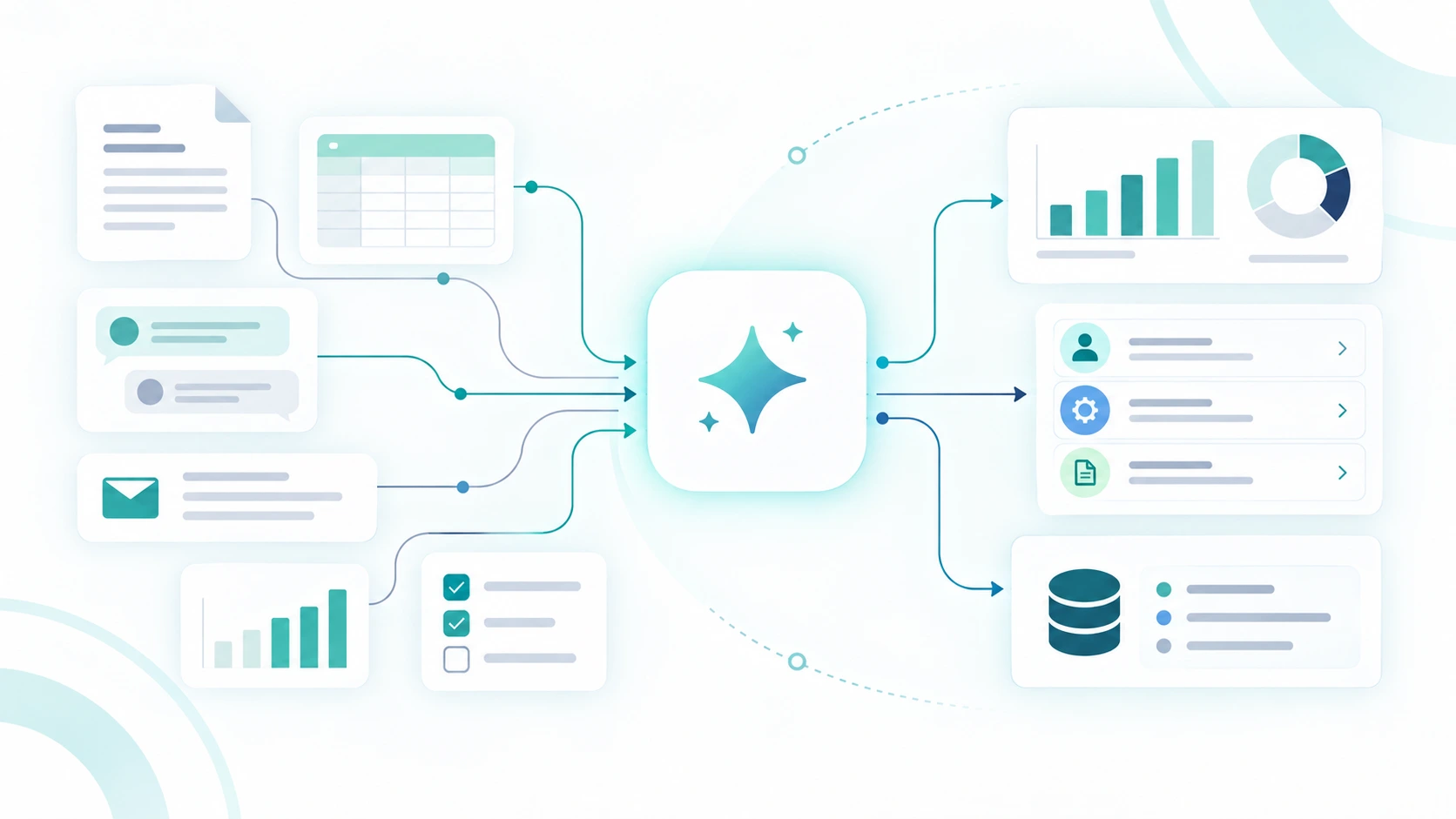
Some AI tools already support connections to business information, subject to availability and permissions. A connection alone, though, doesn’t establish that the right information will reach the right task or that the result will be checked before anyone acts.
Manually prepared
Business information
Person gathers and uploads
AI analysis
Person checks and follows up
Connected and controlled
Approved information sources
AI-assisted process
Human review and action
Less time moving information. Clear responsibility for what happens next.
At that point, you’re looking at a business process, not just a better prompt.
What information should be available? Which preparation steps could happen automatically? Who reviews the exceptions, and how does the work reach the person who needs to act?
Those are worthwhile questions. You don’t need all the answers before trying the first task.
Start with the quotes still waiting in your inbox, the report nobody has had time to investigate or the recurring issue buried across half a dozen emails. Work through one of them properly.
You’ll learn more from that than from another conversation about what AI might do.
AI safety matters. That doesn’t mean avoiding AI.
There is one important qualification to everything in this article.
Giving AI real work does not mean dropping confidential business information into a free consumer chatbot and hoping for the best.
Customer records, financial information, contracts, employee data, pricing and internal correspondence may all be appropriate inputs to AI in the right environment. The question is not simply “is this confidential?” It is:
Where is the AI running, how is the information handled, who can access it, what controls exist, and what is the AI allowed to do with it?
That distinction matters.
A personal AI account being used ad hoc is very different from a properly configured enterprise or tenanted AI environment with controlled access, defined permissions and appropriate data handling.
Increasingly, businesses have better options available. Enterprise AI platforms can provide stronger administrative and privacy controls, while AI embedded directly into business systems can work within the permissions and information structures already governing the organisation.
Learn More
Learn more about Odoo 20 and Agentic AI
Odoo 20 brings agentic AI into the business system itself, giving smaller businesses another path to managed, connected AI.
Odoo 20’s Agentic AI is one example of that direction: rather than constantly exporting information into a separate chatbot, AI can increasingly operate alongside the business data and processes already inside the system, subject to the way that environment is configured.
Ad hoc AI use
- Personal accounts;
- copied data;
- unclear permissions;
- inconsistent practices
Managed AI use
- Approved platforms;
- controlled access;
- appropriate business data;
- defined permissions;
- human oversight
Ad hoc AI use
- Personal accounts;
- copied data;
- unclear permissions;
- inconsistent practices
Managed AI use
- Approved platforms;
- controlled access;
- appropriate business data;
- defined permissions;
- human oversight
The question isn't whether AI can use business information. It's whether it is being used in the right environment.

The answer, therefore, is not to become frightened of AI and ban it from the business.
That can be counterproductive. Staff will still see useful applications and may simply begin experimenting without any agreed approach.
Nor is the answer to connect every system to AI tomorrow morning.
There is a fairly large and sensible middle ground.
Start with low-risk work. Understand the tools your business is already using. Decide what information belongs where. Then, as the use cases become more valuable, move towards business-grade AI environments, controlled system integrations and clearer rules around access, approvals and responsibility.
This is where implementation starts to matter
You can do a great deal with AI yourself.
But once you move from individual experimentation into AI that touches confidential information, recurring workflows or business systems, the decisions become more consequential.
Which platform should you use? Should the AI be isolated or connected to existing systems? What information should it see? Which users should have access? What actions should require approval? Would an enterprise AI platform make sense, or would an integrated approach such as Agentic AI within Odoo be more appropriate?
Those questions are less about writing better prompts and more about designing the right business environment.
That is where Springbrook can help.
We work with businesses to identify where AI can genuinely improve the way work gets done, then design an approach that considers the systems, information, permissions and controls around it.
You should not be afraid to use AI with your business. You should be deliberate about how you do it.
A useful first conversation
What keeps landing back on your desk?
At Springbrook, we help businesses use AI, automation and better processes to remove unnecessary work. Bring us one recurring task. We’ll help assess whether there’s a worthwhile improvement, what information it needs and how to test it sensibly.
